
You can automatically segment leads based on email link engagement in your email campaign. Follow the steps below to segment leads by email link engagement:
- Add a Button or Link in Your Email Campaign
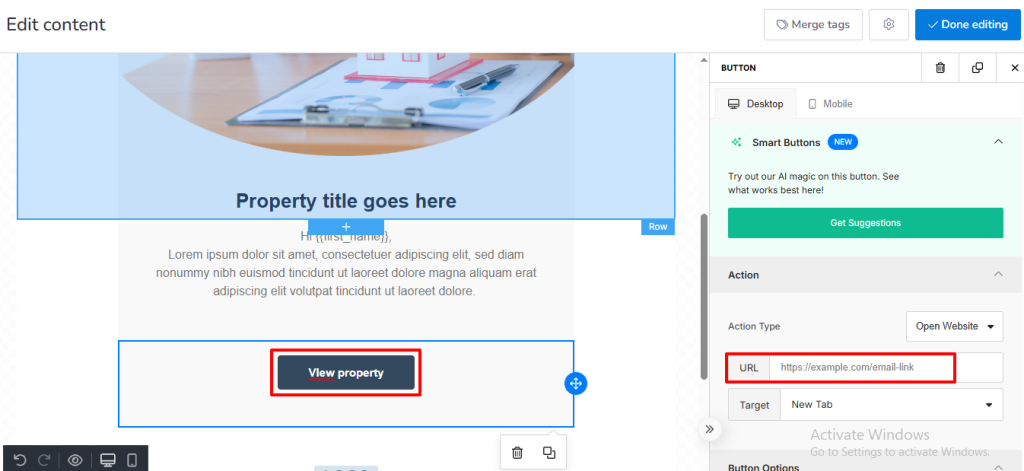
Create or edit your email campaign and insert a button or hyperlink. Set the button action to open a website link.
(Refer to screenshot 1.)
- Create an Automation Workflow
Go to Automations and create a new workflow.
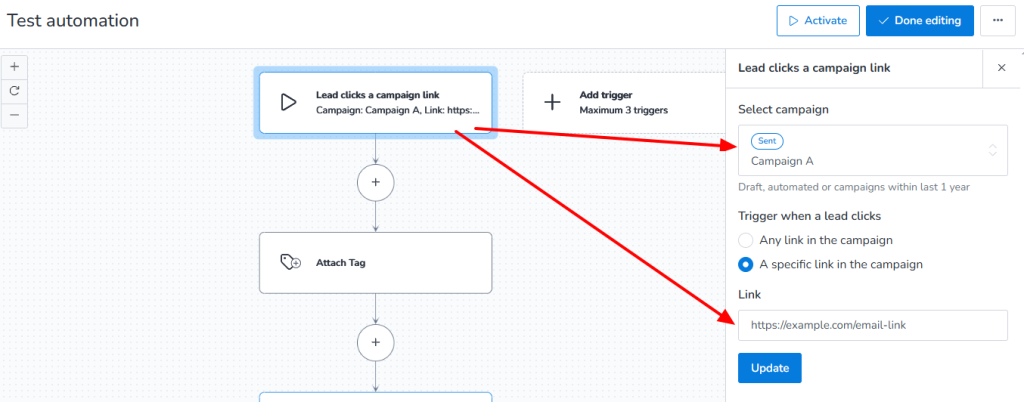
Set the trigger to “Clicks campaign email.”
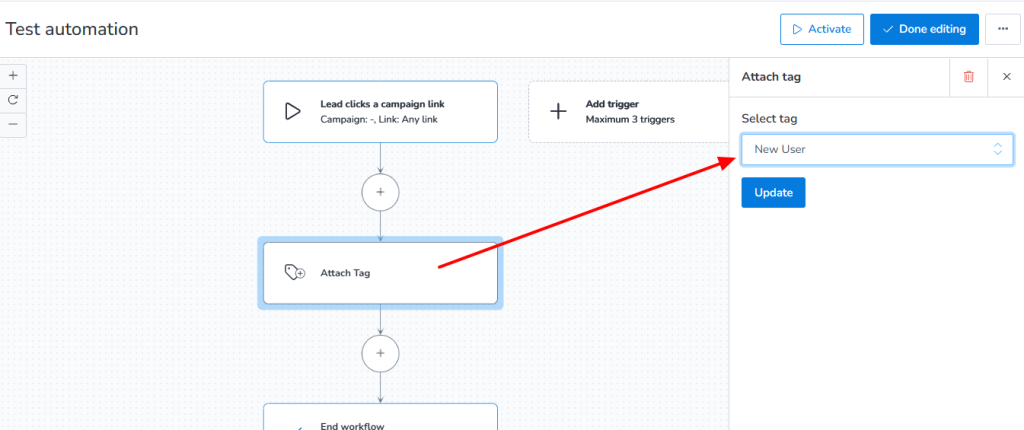
Add an action step and select “Attach Tag.” Choose the tag you want to assign to any lead that clicks the email link.
(Refer to screenshots 2 and 3.)
- Create a Segment Based on the Tag
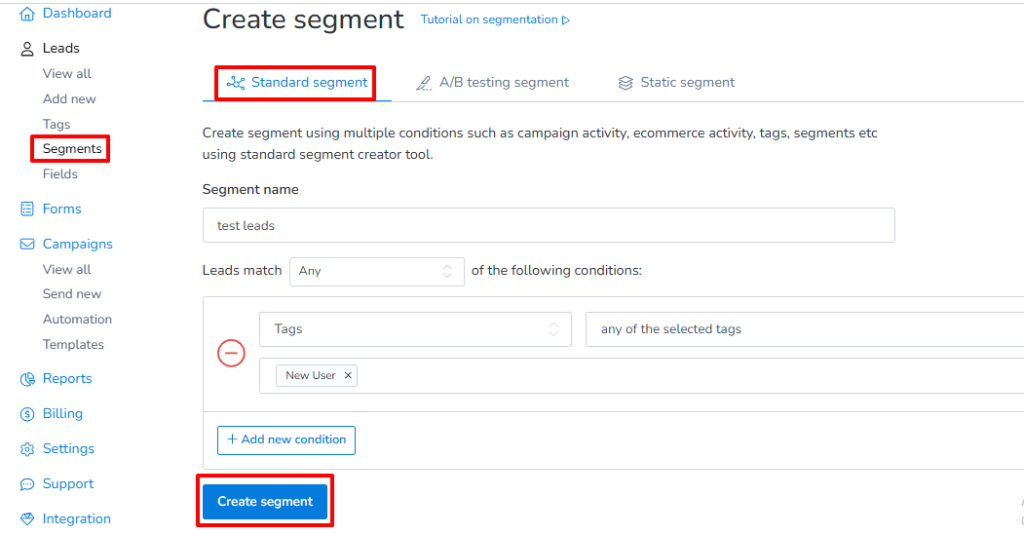
Create a new segment and filter contacts using the tag added in the workflow. Now, any lead who clicks your email link will automatically be added to this segment.
(Refer to screenshot 4.)
This setup helps you easily identify engaged leads, personalize follow-ups, and improve campaign targeting.