MailBluster Managed SMTP lets you send your email campaigns through MailBluster managed email infrastructure, so you don’t have to set up, maintain, or manage your own SMTP server. It takes care of the underlying sending infrastructure, while you focus on creating campaigns and engaging with your subscribers.
With Bring Your Own SMTP, you connect MailBluster to your own SMTP provider and manage the associated SMTP service and costs yourself. With MailBluster Managed SMTP, the SMTP infrastructure is managed by MailBluster, making setup simpler and removing the need to maintain a separate SMTP service.
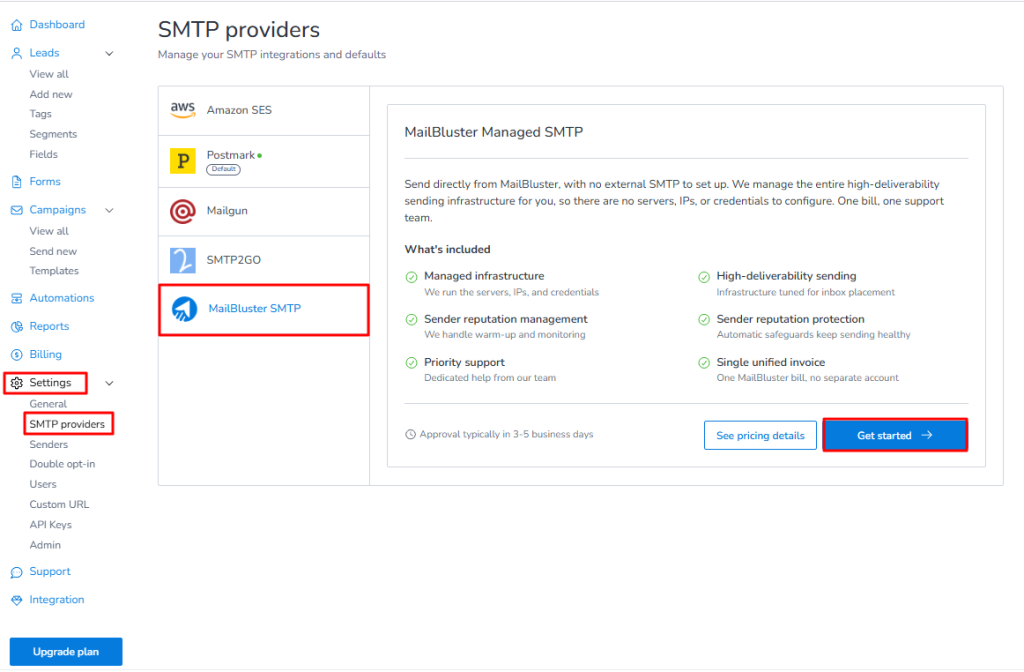
To set up MailBluster Managed SMTP, sign in to your MailBluster account and go to your MailBluster Brand >Settings > SMTP providers > MailBluster SMTP. Then click Get started.
MailBluster Managed SMTP allows you to send emails directly through MailBluster without configuring an external SMTP provider. MailBluster manages the sending infrastructure, deliverability, sender reputation, and other technical requirements for you.
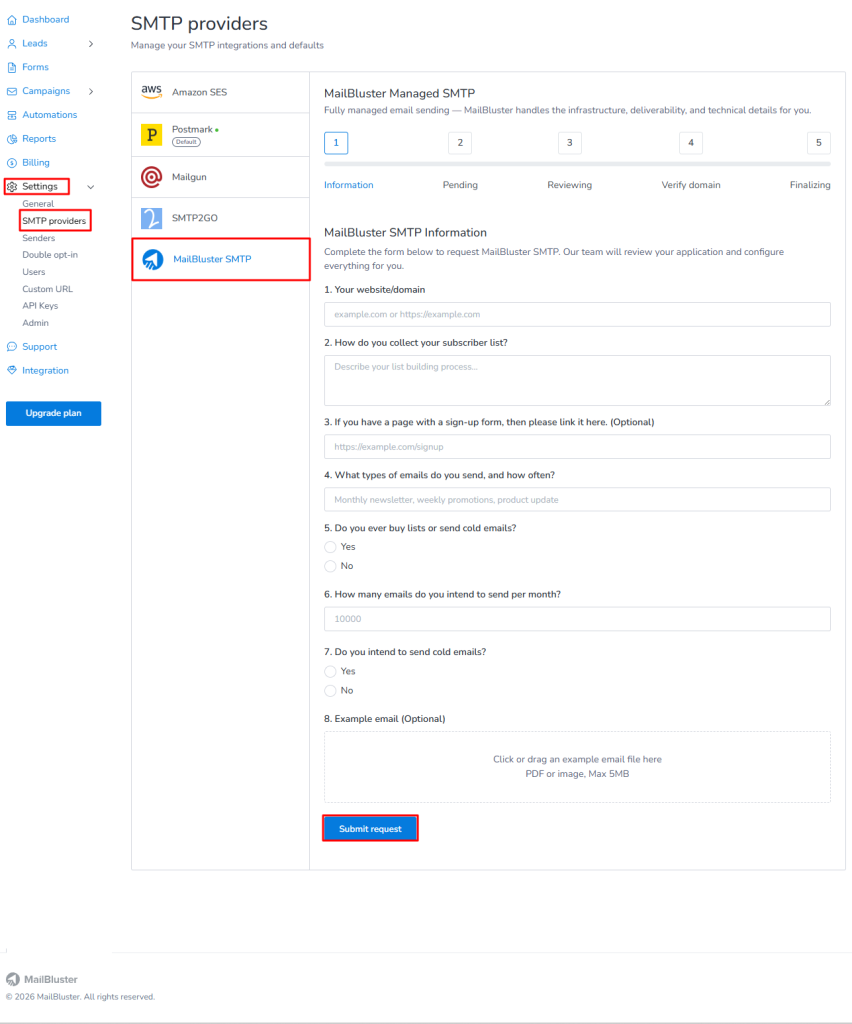
After clicking Get started, you will be taken to the MailBluster SMTP Information form. Fill in the required information about your website or domain, how you collect subscribers, the types of emails you send, your expected monthly email volume, and other details related to your email sending practices.
Once you have completed the required information, click Submit request.
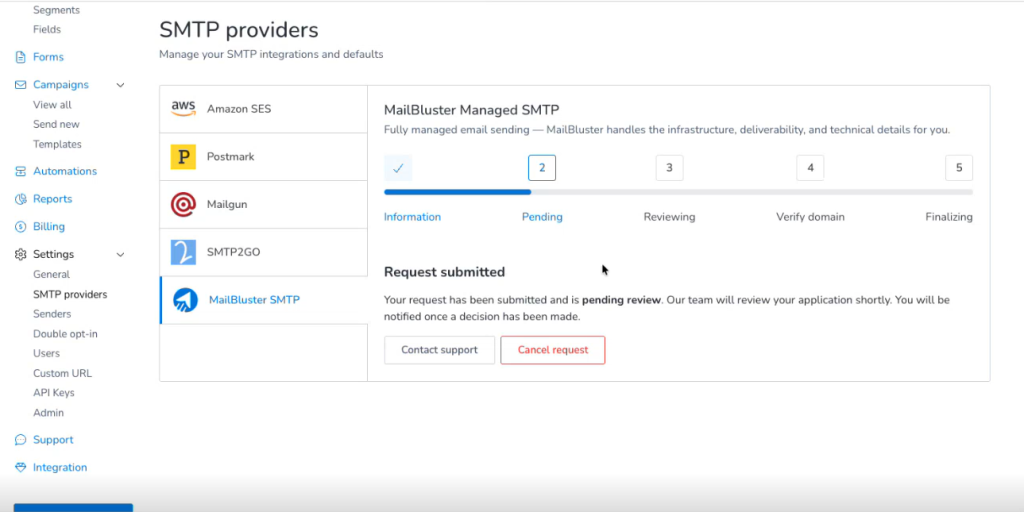
After submitting the form, your request will move to the Pending status. You will see a confirmation message indicating that your request has been submitted successfully. The MailBluster team will review your application, and you will be notified when the status changes.
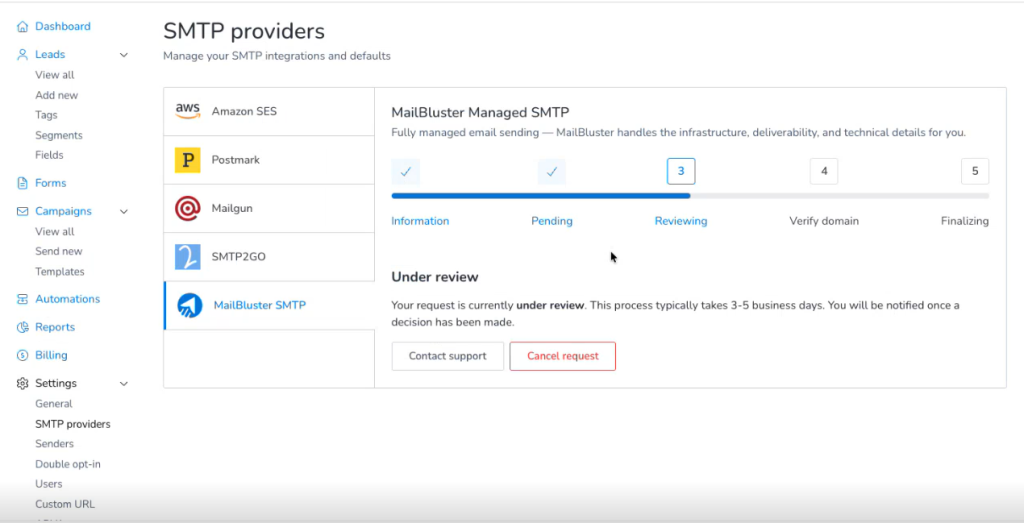
Once the review begins, the status will change from Pending to Reviewing. The review process typically takes 3–5 business days. During this time, the MailBluster team will evaluate the information you submitted to ensure that it meets the requirements for using MailBluster Managed SMTP.
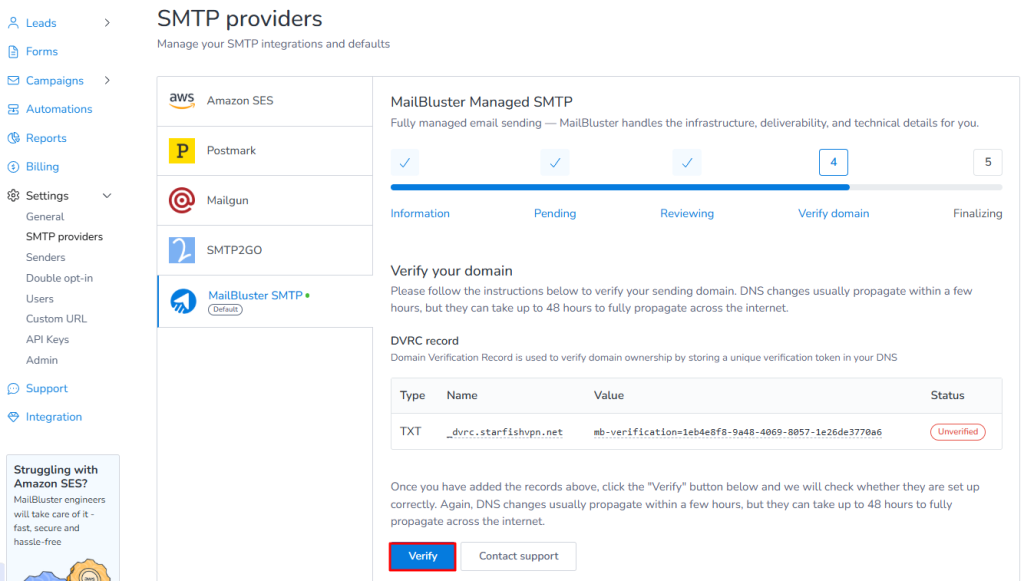
If your request is accepted, the MailBluster team will notify you by email and ask you to verify your sender domain. Your Managed SMTP setup will then move to the Verify domain status.
Follow the instructions to add the required DNS records to your domain. After adding the records, return to MailBluster and click Verify to check the verification status. DNS records may take some time to propagate. If the records are not verified immediately, wait for the DNS changes to propagate and click Verify again. If the issue continues, contact MailBluster Support for assistance.
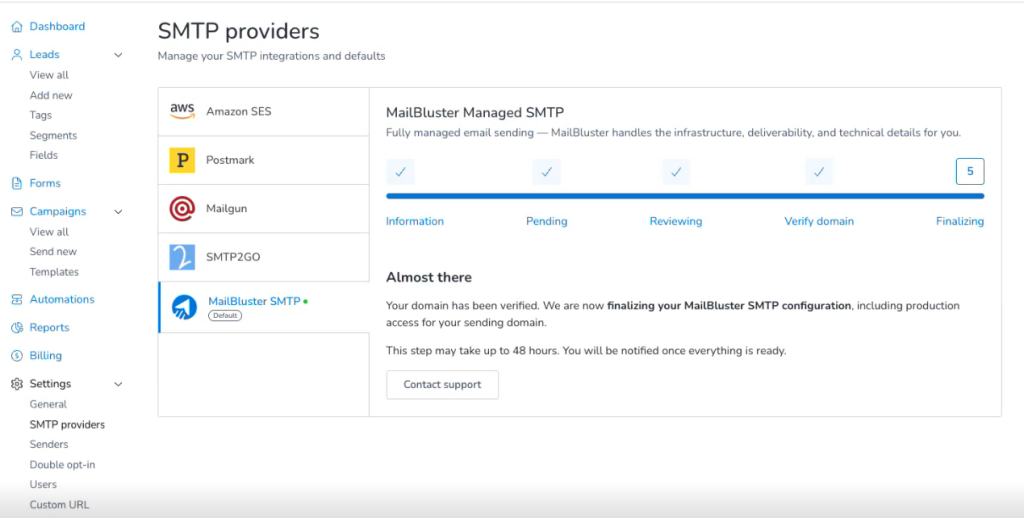
After your sender domain has been verified, your Managed SMTP setup will move to the Finalizing status. At this stage, MailBluster will finalize your SMTP configuration, including production access for your sending domain. The finalization process may take up to 48 hours. You do not need to make any additional configuration changes during this stage. The MailBluster team will notify you once everything is ready.
Once the finalization process is complete, the MailBluster team will send you an email notifying you that your MailBluster SMTP has been approved.
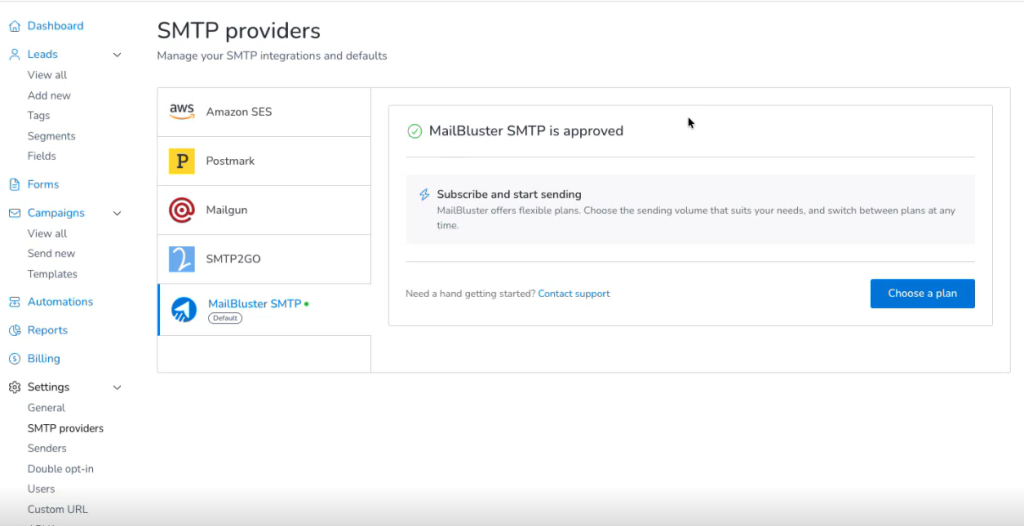
Then, you will see the confirmation message MailBluster SMTP is approved.
After approval, click Choose a plan to select a sending plan based on the email volume that suits your needs. MailBluster offers flexible sending plans, so you can change your plan as your sending requirements change.
Once you have subscribed to a plan, your MailBluster Managed SMTP is ready to use, and you can start sending emails through MailBluster.
With MailBluster Managed SMTP, you get a 14-day free trial, during which you can send up to 100 emails per day. After the trial period, MailBluster Managed SMTP pricing starts at $17 per month for 10,000 emails pack. Additional emails are charged at $1.96 per 1,000 emails, depending on the email pack volume. The higher the email volume of your selected plan, the lower the rate for additional emails. The SMTP cost is already included, so you don’t need to pay a separate SMTP provider. There are 14 monthly email plans, from 10,000 to 1 million emails.
Here is a sample of the range:
Emails per month
Monthly
Yearly (effective monthly rate)
Extra emails per 1,000
10,000
$17
$15.30/month
$1.96
20,000
$29
$26.10/month
$1.67
50,000
$59
$53.10/month
$1.36
100,000
$110
$99.00/month
$1.27
250,000
$272
$244.80/month
$1.25
For example, additional emails cost $1.96 per 1,000 with the 10,000-email plan, while the rate drops to $1.25 per 1,000 with the 250,000-email plan.
You can also choose yearly billing to save 10% on the plan price.
MailBluster Managed SMTP is designed to simplify email sending and help maintain a reliable sending infrastructure. MailBluster manages the SMTP infrastructure and sender reputation management, so you don’t have to worry about maintaining your own SMTP environment.
MailBluster offers pricing options for high-volume email sending.
With MailBluster Managed SMTP, you can choose from 11 monthly email plans ranging from 10,000 to 2.5 million emails per month.
If you need to send more than 250K emails per month or have specific high-volume requirements, please contact us for pricing, and our team will help you find a suitable plan.