
You can easily export the HTML of any campaign for backup, editing, or reuse. To export HTML of a campaign, first navigate to your Brand, then go to Campaigns. Next, select the campaign you want to duplicate by clicking on the three dots (…) ellipsis next to it, and then click Export as HTML
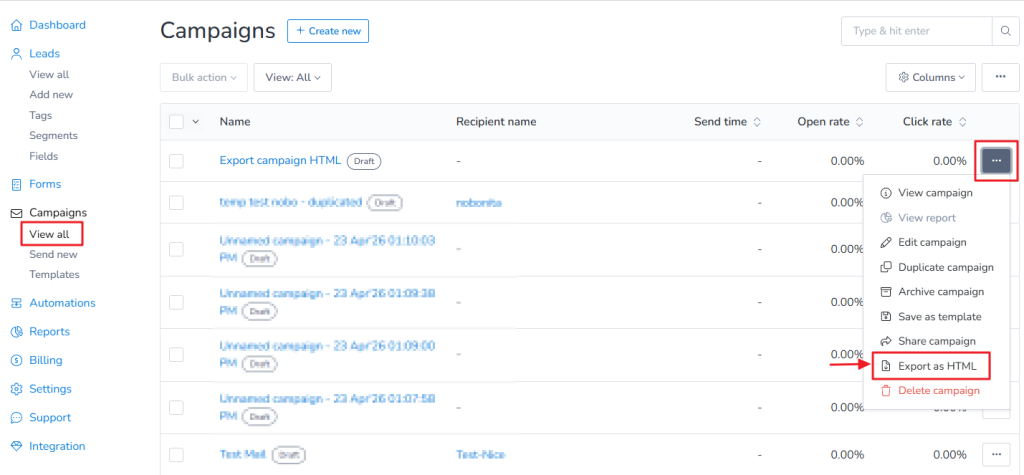
An HTML file of your campaign will be automatically downloaded to your device. This allows you to edit the code, reuse the design, or use it outside the platform as needed.