
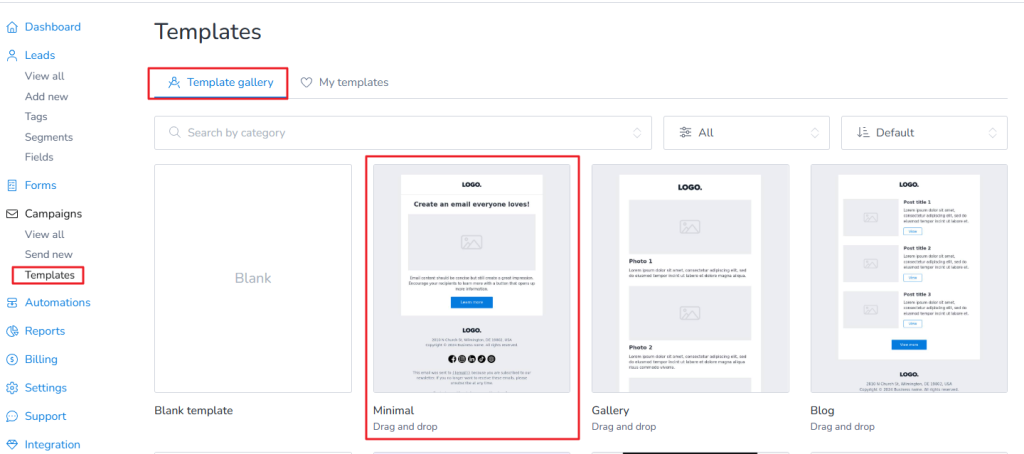
You can easily export the HTML of any template for backup, editing, or reuse. First, you need to go to your Brand > Templates > Template gallery and then click on your selected template as shown below.
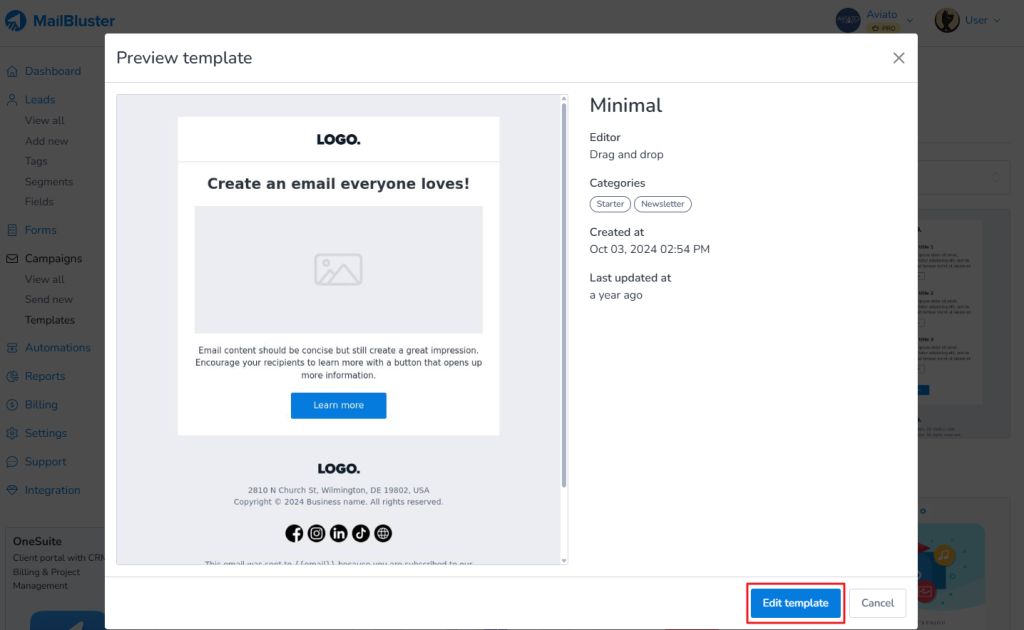
A popup window will appear and you will need to click on the Edit Template
Once inside the editor, look for the Done Editing section at the top right. Open the dropdown menu and click Export as HTML.
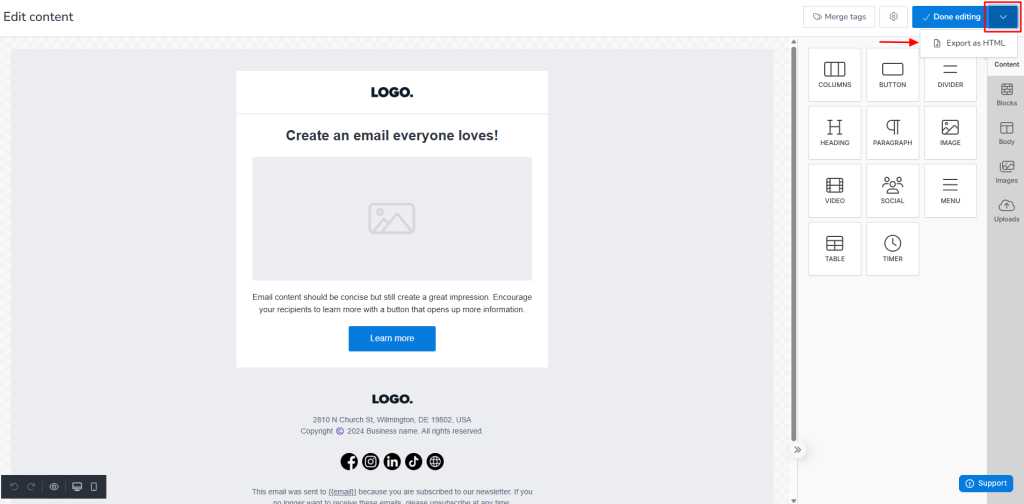
An HTML file of your template will be automatically downloaded to your device. This allows you to edit the code, reuse the design, or use it outside the platform as needed.